¶ Areas and Panels
The Synthesizer V Studio 2 Pro interface consists of several areas and panels.

Some areas and panels can be shown or hidden.
¶ Menu Bar
The menu bar allows you to select menus for saving and loading project files, edit multiple notes at once, and more.

¶ Transport Area
The Transport area allows you to play, stop, set time signatures and tempos, and turn the metronome on or off.

¶ Arrangement Area
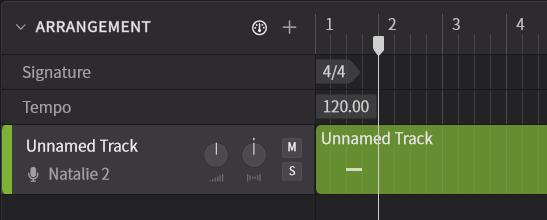
The Arrangement allows you to manage tracks for creating vocals and audio tracks for playing back audio.
¶ Piano Roll Area
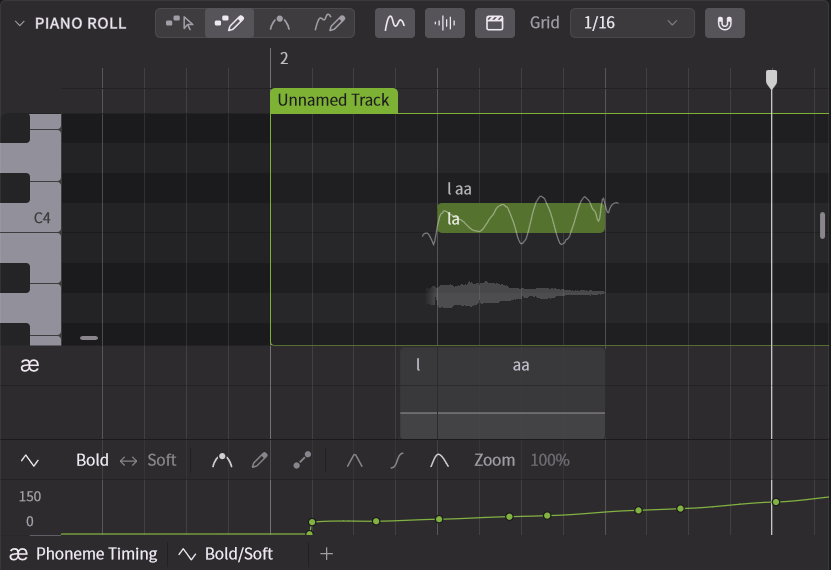
The Piano Roll allows you to input and edit musical notes, edit pitch and articulation, and display waveforms.
¶ Phoneme Timing Panel
The Phoneme Timing Panel allows you to edit the length and strength of phonemes (individual elements of pronunciation).

¶ Parameter Panel
The Parameter Panel allows you to automate various parameters using points or curves.
You can adjust the performance and expression of vocals over time.

¶ Sidebar/Side Panel
The side panels allow you to edit tracks and notes, as well as change settings.
You can use the sidebar to show or hide individual side panels.
Hovering over each side panel will display a description of its function.
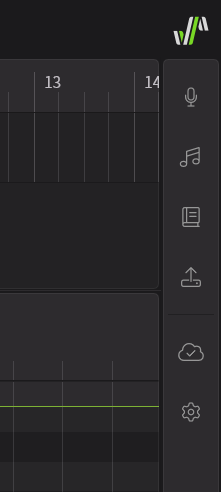
- Voice Panel: Manages the vocals for tracks and note groups. Allows you to set the voice for the currently edited note group, as well as apply Vocal Modes and Parameters to entire note groups.
- Notes Panel: Allows you to set options for selected notes and do retakes.
- Dictionary Panel: Manages pronunciation dictionaries. For languages where lyrics are entered word by word, creating a dictionary beforehand and setting the readings of commonly used words can make adjusting pronunciation more efficient.
- Effects Panel: Allows you to apply effects to each track.
- Render Panel: Exports the audio of each track or the master track as an audio file. You can also check the progress of rendering for each track.
- Script Panel: Displays a set of user scripts that are compatible with the script feature.
- Product Manager: Allows you to install and uninstall voices. You can also start trials and manage offline licenses.
- Settings: Allows you to configure audio settings, customize the editor screen, and assign keyboard shortcuts.
¶ Status Bar
The Status Bar displays information about the function your mouse is hovering over.
Choose to display or not the status bar in Settings.

¶ Workspace Customization
Each area and panel can be moved and resized.
¶ Expand and Collapse Workareas
- Click the button in the top left corner of the Arrangement or Piano Roll to expand or collapse the area.
- Click the icon to expand the desired side panel in the sidebar.
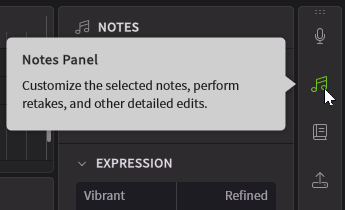
- If a side panel is already open, click the side panel icon again to close it.
¶ Move Areas and Panels
- Move the cursor over the title of a panel and drag it to move it around the workspace.
¶ Add and Remove Parameter Panels
- The Phoneme Timing panel and Parameter Panel can be opened and closed by clicking the tabs located below the piano roll.
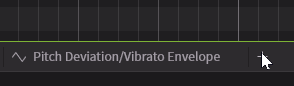
- Click the + button on the right of the Parameter Panel to add another Parameter Panel. You can add up to three Parameter Panels.
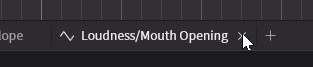
- Click on the X button of the Parameter Panel to remove it
¶ Resize Areas and Panels
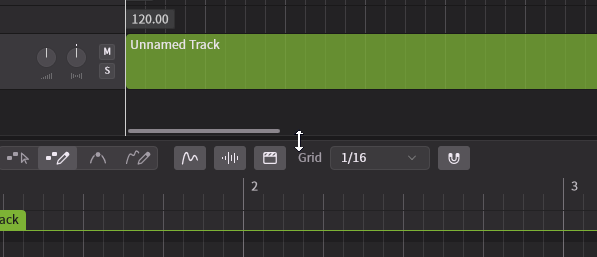
- Resize areas and panels vertically by dragging their edges.
¶ Navigation
- To move vertically on the Arrangement or Piano Roll, scroll with the mousewheel or drag the vertical scrollbar.
- To move horizontally on the Arrangement or Piano Roll, hold Shift while scrolling with the mousewheel or drag the horizontal scrollbar.
- Scroll the screen vertically and horizontally by holding down the mouse wheel and dragging.
- Drag using 2 fingers over the touchpad to navigate around.
- If [2D Scroll] is checked in the Settings panel, you can use the side-scroll feature of the touchpad or side-scrolling mouse to move horizontally.
¶ Zoom
- Hold Ctrl/Command and use the mouse wheel to zoom in (scroll up) and zoom out (scroll down).
- Use stretch-out/pinch-in touchpad gesture to zoom in/zoom out.