The Effects Panel allows you to apply simple effects like EQ and compressors to each track.
Additionally, the Room Sound feature allows you to adjust harmonies, doubling, and chorus to sound more natural by simulating the space.
¶ Open the Effects Panel
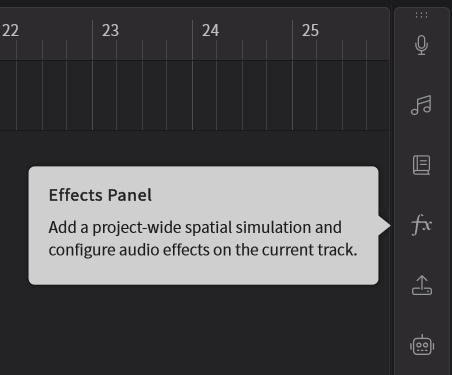
Click the fourth icon from the top in the sidebar to open the Effects Panel.
¶ How to Use Effects
¶ Enable Effects
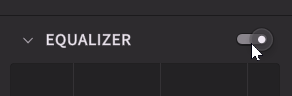
Click the switch to the right of each effect to enable it.
¶ Room Sound
Simulates reverberation to express spatial depth more naturally.
In particular, applying it to doubling or choir tracks using the Unison feature to achieve a more immersive, three-dimensional sound.
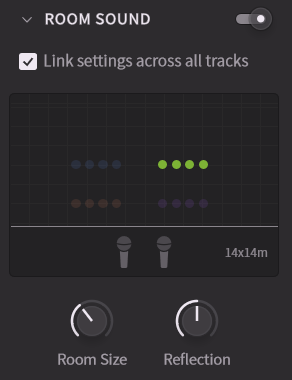
- Room Size: Specifies the size of the simulated room. Can be set between 5m and 30m, with a default value of 15m.
- Reflection: Adjusts the reflection gain (amplitude of reverberation). Can be set between -15dB and 15dB, with a default value of 0dB.
- Link settings across all tracks: Links the above two parameters across all tracks.
¶ Part Placement
The Room Sound interface displays each track's placement within the room as dots (when using the Unison feature, each track displays dots equal to the number of singers).
Drag these dots to move the part placement.
Part placement in Room Sound is a separate parameter independent of the mixer's pan settings.
¶ Equalizer
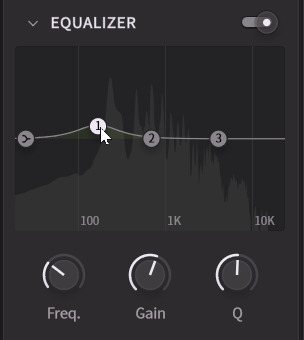
Three peak filters and a low shelf are available. You can move them directly by dragging, or adjust them using the Frequency, Gain, and Q knobs.
¶ Compressor
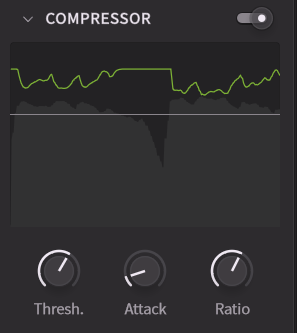
Adjust Threshold, Attack, and Ratio to control volume dynamics.
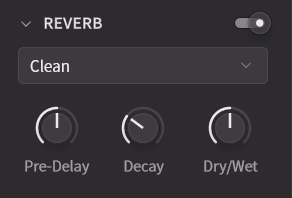
¶ Reverb
Adjust the reverb using the Pre-Delay, Decay, and Dry/Wet knobs.
You can choose presets from Clean, Hall, Room.