In the Voice panel, you can set parameters that take effect on an entire note group.
You can adjust Vocal Modes and Parameters related to voice quality and singing technique. Additionally, you can select the voice and language for the note group.
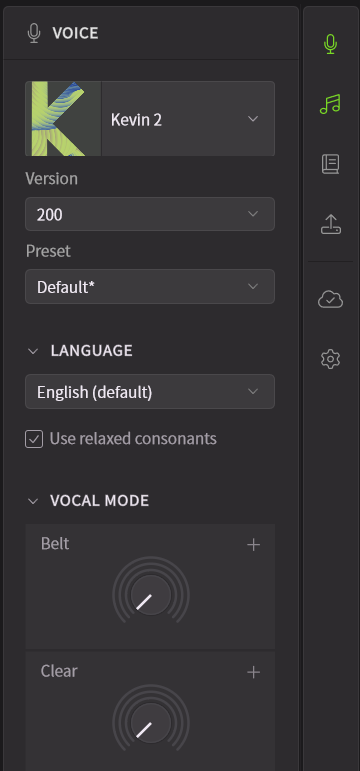
Vocal Modes, Basic Parameters, and Tuning can only be edited when a note group is selected.
Additionally, when multiple note groups are selected, any operation in the Voice Panel will affect all selected groups.
¶ Open the Voice Panel
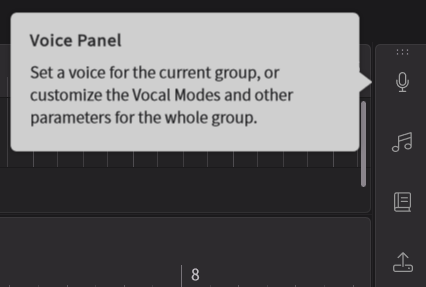
Click on the top icon in the sidebar to open the Voice Panel.
¶ Select a Voice
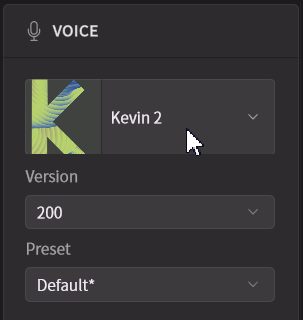
Click on the Voice name (or [Select Voice...]) and choose the desired voice.
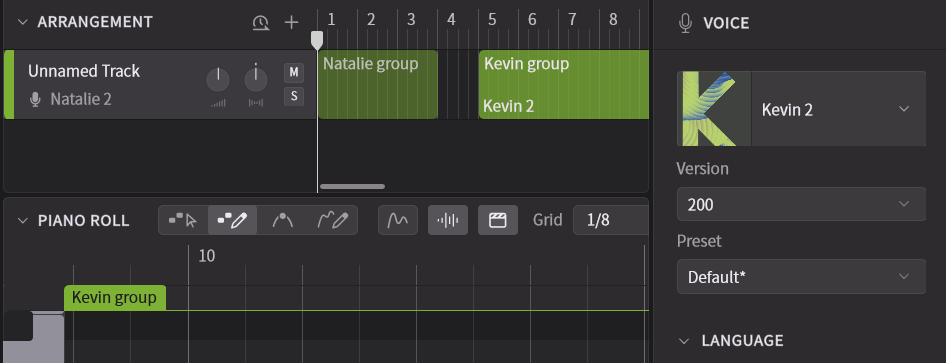
When a voice is selected in the Voice panel, it will be applied to the currently focused note group, if there is one. Or the the track otherwise.
If a note group does not have a voice assigned, the voice set for the track will be used.
When multiple versions of a voice are installed, you can also select the version.
If the voice does not appear in the list, please register and install the product from the Product Manager.
¶ Language
When a voice is loaded, the lyrics of the notes in the Piano Roll are detected, and the language is automatically set.
- Select the desired language from the [Language] section. Some languages may display additional options.
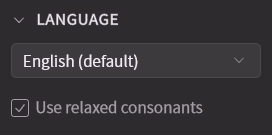
- The language can be changed for each note in the Notes Panel.
¶ Consonant Adjustment
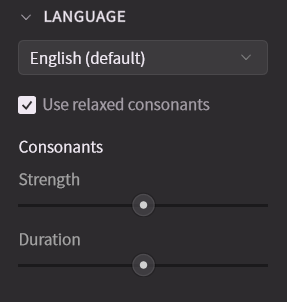
You can adjust the strength and length of consonants (plosives and fricatives) for an entire note group at once.
¶ Unison
The Unison function allows you to create doubling and chorus effects by increasing the number of singers.
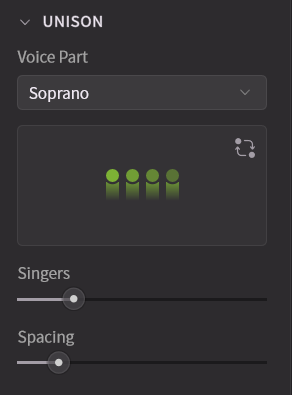
- Voice Part: Displayed only when using a Choir voice. You can change the choir part (Soprano, Alto, Tenor, Bass).
- Shuffle Members: Displayed only when using a Choir voice. You can randomly change the singers and their positions.
- Singers: Adjusts the number of singers in the unison.
- Spacing: Adjusts the spacing between singers. This affects the Room Sound effect in the Effects Panel.
¶ Vocal Mode
The Vocal Mode feature allows you to change the expression, texture, pronunciation and atmosphere of the voice.
The number and type of Vocal Modes vary depending on the voice. You can also mix multiple Vocal Modes.
Vocal Modes not only affect timbre but also influence nuances of pronunciation and pitch curves.
The amount of pitch, timbre, and pronunciation of each Vocal Mode can be adjusted.
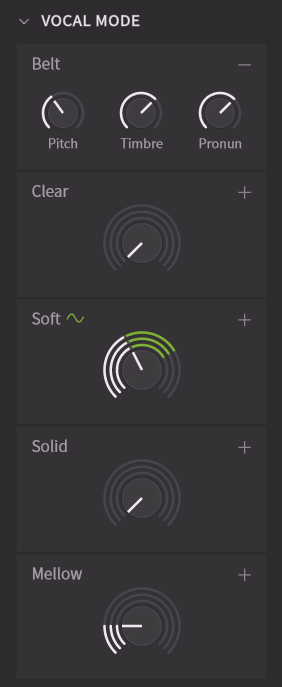
- Adjust each Vocal Mode by dragging the slider, in 5% increments.
- When you mouse over a Vocal Mode slider, a numerical value will appear below it. Double-click the number to edit it.
- Click "+" to display detailed settings, allowing you to individually set pitch, timbre, and pronunciation.
- Click "-" to close the detailed settings. When the detailed settings are closed, the application degree of pitch, timbre, and pronunciation is displayed as three different curves.
- You can change the numerical values of each Vocal Mode throughout a song using the Parameter Panel.
When a value is set in the Parameter Panel, a "~" mark will be displayed. Differences between the Parameter Panel and the current setting are shown with a green line.
¶ Parameters
Parameters are common characteristics that apply to all voices.
For details on each parameter, please refer to "Base Parameters".
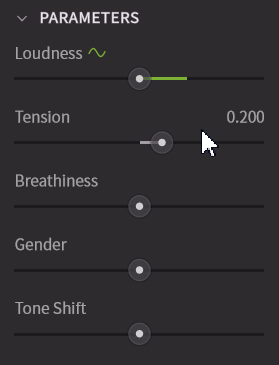
- Set each parameter by dragging the slider.
- When you mouse over a parameter, its numerical value will appear. Double-click the number to edit it.
- These parameters can be changed during a song using the Parameter Panel, and the values in the Voice panel are added to those in the Parameter Panel.
When a value is set in the Parameter Panel, a "~" mark will be displayed.
¶ Tuning
Fine-tunes the pitch of an entire note group.
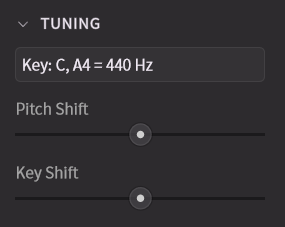
- Pitch Shift: Adjusts the tuning in 1-cent increments. It can be set between -50 cents and +50 cents, with a default value of 0 cents.
- Key Shift: Adjusts the pitch in semitone increments. It can be set between -12 and +12 semitones, with a default value of 0.
¶ Scale
Sets the scale (key) for the note group.
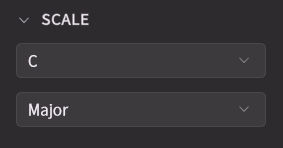
Enabling [Scale Mode] using the button at the top of the piano roll highlights the keys and background corresponding to the selected scale.
¶ Preset Management
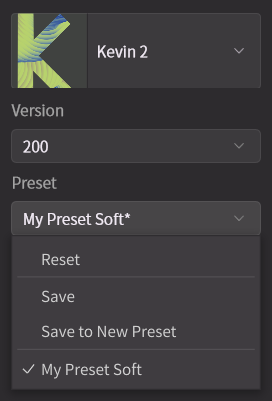
Settings for Unison, Vocal Modes, Parameters, and Tuning can be saved as presets.
Presets are saved for each voice.
¶ Save a Preset
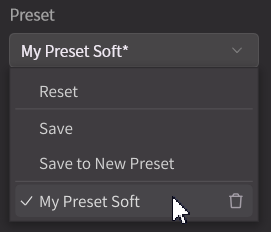
- Select [Save to New Preset] from the [Preset] menu, enter a preset name, and click [OK].
- To overwrite an existing preset, select [Save] from the [Preset] menu.
Presets are saved to the following locations:
Windows:
C:\Users\<username>\AppData\Roaming\Dreamtonics\Synthesizer V Studio 2\settings
macOS:/Users/<username>/Library/Application Support/Dreamtonics/Synthesizer V Studio 2/settings
¶ Load a Preset
Select the preset you want to load from the [Preset] menu.
¶ Delete a Preset
To delete a preset, hover over it in the [Preset] menu and click the trash can button that appears.
¶ Reset
To reset the Vocal Modes, basic parameters, and tuning settings to their defaults, click [Reset] in the [Preset] menu.