The Vocal Mode feature allows you to change the vocal expression, pronunciation, and atmosphere of the voice.
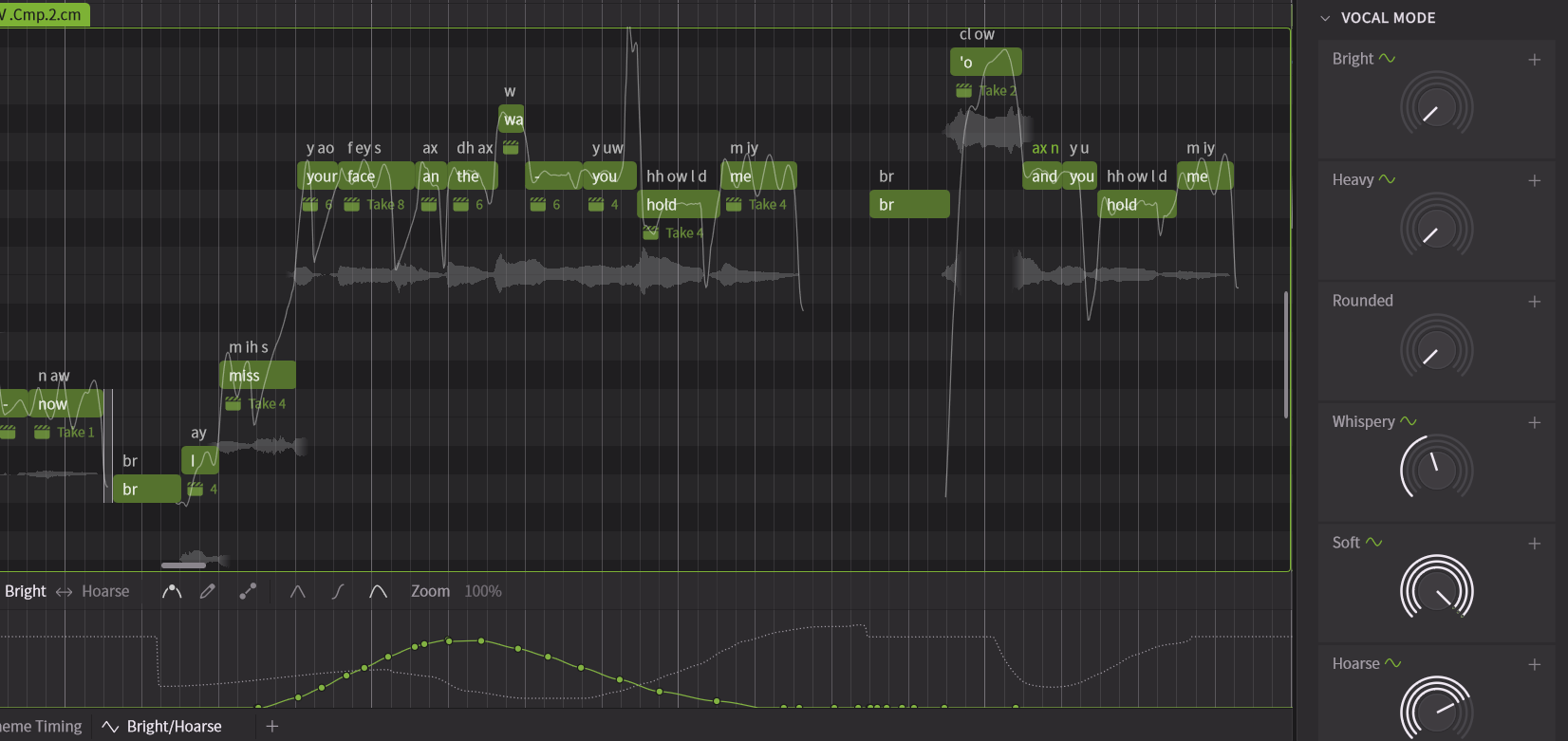
¶ Number and Types of Vocal Modes
The number and types of Vocal Modes available vary depending on the voice.
For example, Liam has 6 types: Bright, Heavy, Rounded, Whispery, Soft, and Hoarse,
Mai 2 has 6 types: Breathy, Downer, Emotional, Powerful, Rap, and Sweet,
Mo Xu has 5 types: Airy, Bright, Firm, Soft, and Powerful.
These multiple Vocal Modes can be mixed and used together.
¶ Applying Vocal Modes to Note Groups
To set the Vocal Mode for an entire note group, use the Voice Panel.
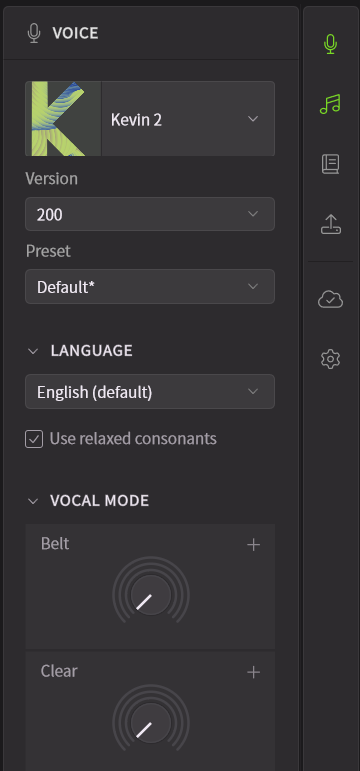
Vocal Modes can only be operated when there is a note group on the track and a voice is selected.
¶ Detailed Settings for Vocal Modes
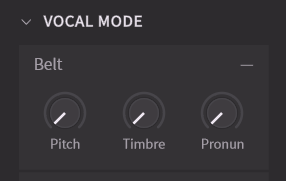
Vocal Modes affect not only timbre, but also nuances of pronunciation and pitch curves.
In the Voice Panel, you can adjust the application levels for pitch, timbre, and pronunciation.
¶ Changing Vocal Modes Within a Song
In the Parameter Panel, you can automate vocal modes.

In the Parameter Panel, it is NOT possible to adjust the pitch, timbre, and pronunciation application levels of vocal styles individually.
¶ Delete Inactive Vocal Mode Parameters
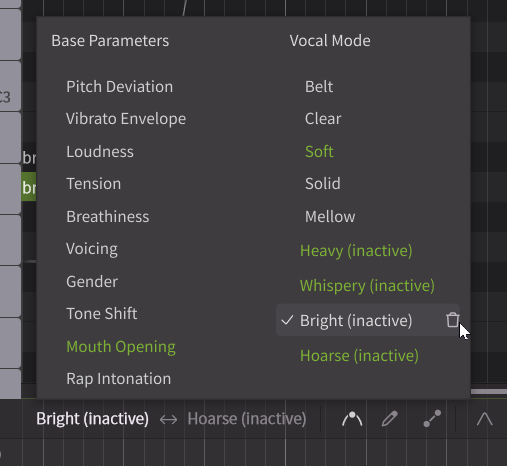
Since the types of Vocal Modes vary depending on the voice, changing the voice may render previously used vocal styles unusable.
Unused parameters can be deleted from the parameter selection screen.