The lyrics entered into a note are converted into phonemes, such as consonants and vowels.
Phonemes are the smallest unit of pronunciation, and they serve as the basis for rendering audio.
To adjust pronunciation, you can modify phonemes, adjust their length or strength, or use the AI Retake feature.
If there is a sense of discomfort in the pronunciation, please also refer to "Notes on Note Input".
¶ Editing Phonemes
Phonemes are displayed above notes in the Piano Roll and can be edited by double-clicking on them.
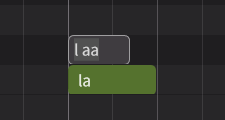
The phonemes available for use within the editor vary depending on the language.
The language for an entire note group can be set in the Voice Panel, and the language for each individual note can be set in the Notes Panel.
The phonemes available for use with each language can be found in the Phoneme Reference List.
¶ Registering Phonemes in the Dictionary
By registering combinations of lyrics and phonemes in the Dictionary Panel, you can apply them to an entire note group.
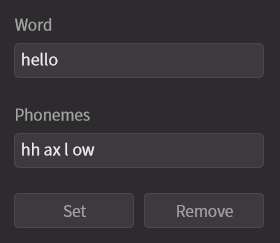
¶ Ensuring Consonant Pronunciation Time
In vocal synthesis, unlike instrumental input, sounds such as consonants and word endings are also generated before and after notes, reflecting the nuances of speech.
Therefore, if you try to create a gap between notes to separate the pronunciation, it can actually have the opposite effect and make it difficult to secure the consonant pronunciation time.
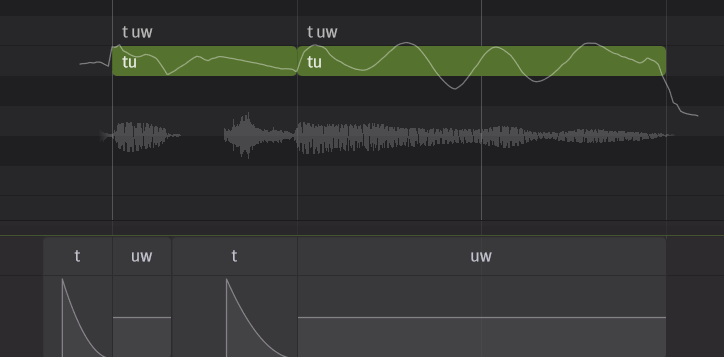
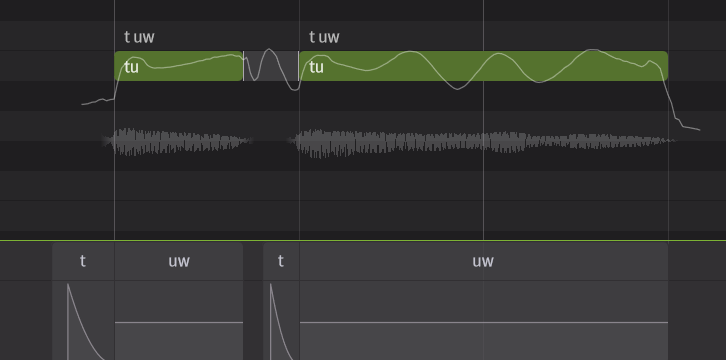
If there is an awkward gap between notes, the pronunciation can sound unnatural. To avoid this, make sure to join adjacent notes tightly together and leave a clear space between phrases before and after.
The length of the pronunciation is adjusted in the Phoneme Timing Panel.
¶ Phoneme Length and Strength
To edit the length and strength of phonemes, use the Phoneme Timing Panel.
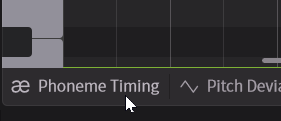
The Phoneme Timing Panel can be opened by clicking on the tab at the bottom of the Piano Roll.
¶ Editing Phoneme Length and Timing
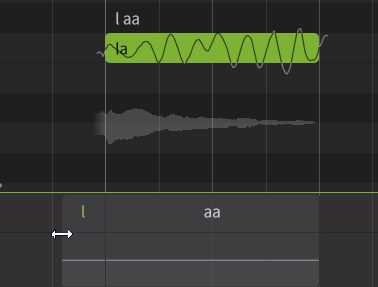
Adjust the timing and length of pronunciation by dragging the left and right edges of the phoneme.
¶ Editing Phoneme Strength
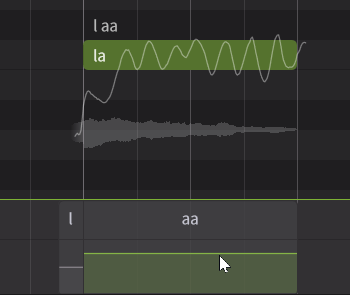
Adjust the strength of each phoneme by dragging the horizontal line up and down.
¶ Editing Plosives
For some consonants, you can adjust the timing and strength of plosives by dragging a triangle.
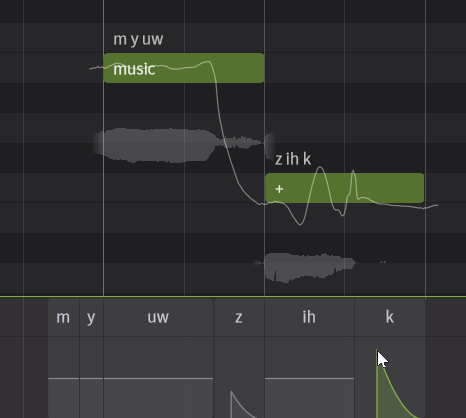
Plosives editing is not available for version 1-compatible voices.
¶ Retaking Pronunciation
If the pronunciation is not to your liking, you can try retaking it using the AI Retake feature to improve it.