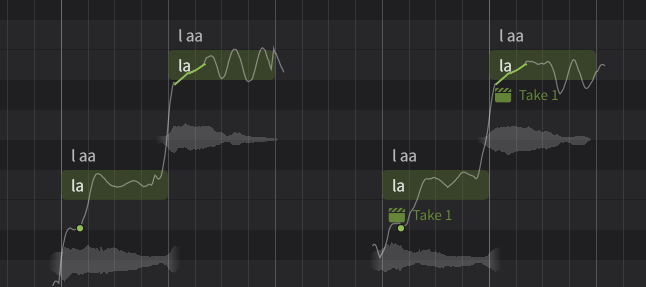
The AI Retake feature can generate various singing patterns.
You can repeat the "retake" process until you get a take you like, just like recording with an actual singer. You can also select and delete the takes to use.
¶ AI Retake Visualization
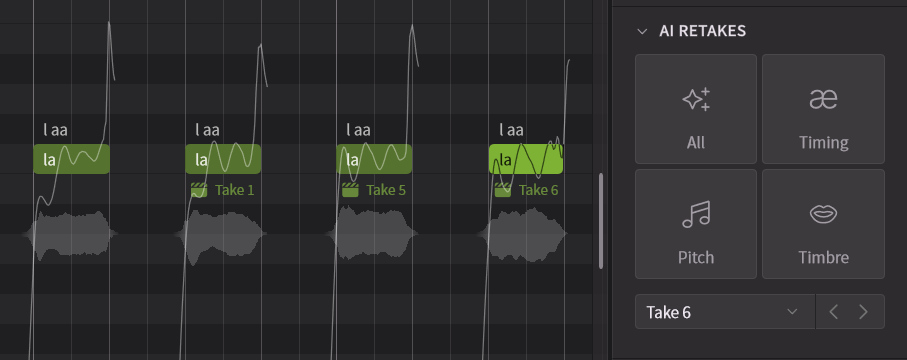
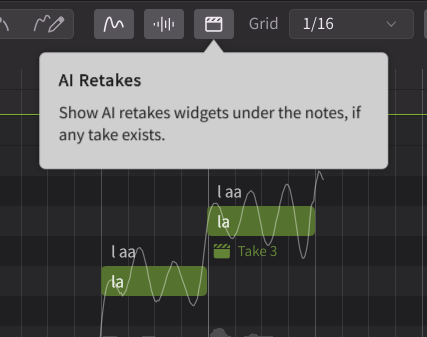
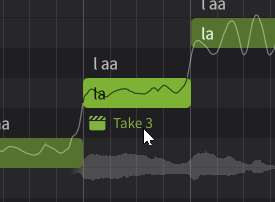
When the AI Retake visualization is turned on using the button at the top of the Piano Roll, the take name is displayed below each note.
This becomes a widget that allows you to select or delete takes when clicked.
The widget is only displayed on notes that have a take assigned.
¶ Generating New Takes
Select a note and click the AI Retake button in the Notes Panel to generate a new take.
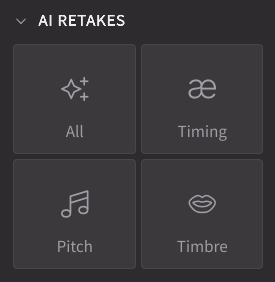
- All: Retakes pitch, timing, and timbre together.
- Pitch: Retakes the pitch curve. The generated pitch curve is displayed in the Piano Roll.
- Timing: Retakes the timing and length of phonemes. The length of phonemes is displayed in the Phoneme Timing Panel.
- Timbre: Retakes timbre and pronunciation.
¶ Selecting and Deleting Takes
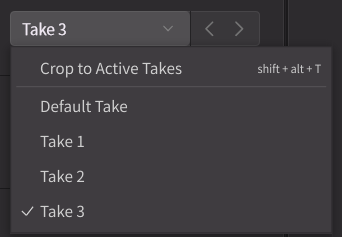
To select the takes to use from the generated ones or to delete unnecessary takes, use the Notes Panel or click on the take name displayed in the Piano Roll.
¶ Relationship Between AI Retakes and Various Parameters
Vocal Modes and various parameters, such as the Expression Pad in the Notes Panel, affect all takes generated for that note.
For example, if a note has Take 1 and Take 2, changing the Expression Control will affect both takes.
¶ Relationship Between AI Retake and Smart Pitch Controls
The Smart Pitch Controls corrects the pitch curve so that it passes through control points and curves.
Since Smart Pitch Controls takes priority over AI Retake, retaking pitch will always generate a pitch curve that passes through the Smart Pitch Controls.