For more information on the types of plugins included with Synthesizer V Studio 2 Pro and their differences in usage, please refer to "Plugins and DAW Integration".
¶ Basic Usage
With the Synthesizer V Studio 2 Pro plugins, you need to input notes and lyrics within the plugin's editor, not directly within your DAW.
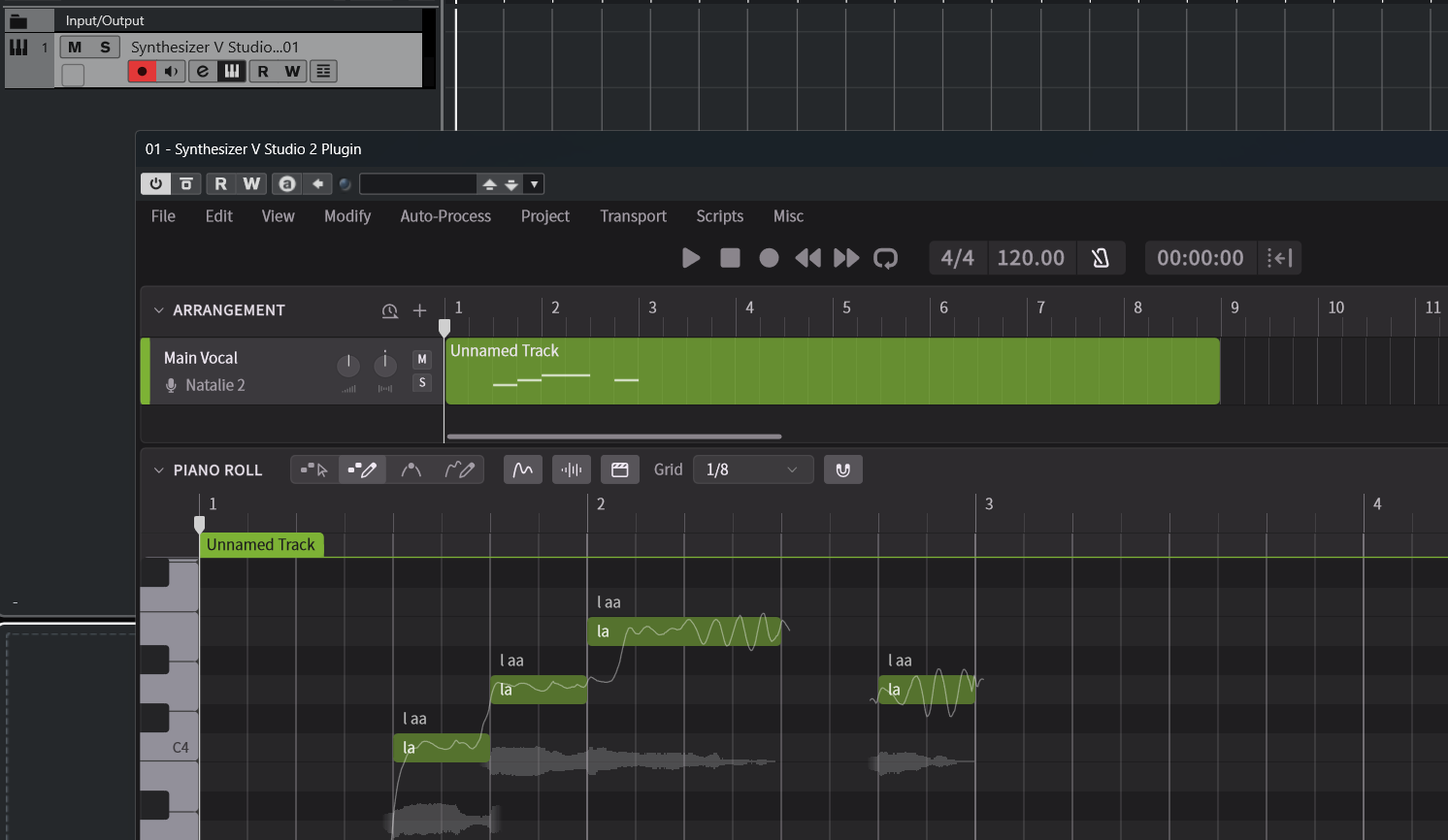
Unlike typical software synthesizers, Synthesizer V Studio 2 Pro renders audio beforehand.
Due to standard MIDI specifications, the plugin cannot retrieve the project's overall tempo and notes from the DAW before playback.
Therefore, it is necessary to input notes and lyrics into the plugin's editor beforehand.
-
First, set the tempo and time signature within the plugin.
When using ARA Bridge Mode, the DAW’s tempo and the plugin’s tempo are automatically synchronized. However, if you are not using ARA Bridge Mode, the DAW’s tempo cannot be imported automatically, so you will need to set the tempo and time signature separately inside the Synthesizer V Studio 2 Pro plugin.
For information on how to set the tempo, please refer to "Tempo and Time Signature". -
Next, assign a voice to the track and enter notes and lyrics.
To enter notes, you can use the Note Creation Mode inside the plugin, or import a MIDI file, or input notes in real time using a MIDI keyboard.
For these operation methods, see Track and Voice Setup and Entering Notes and Lyrics.
¶ Notes on Importing MIDI Files
When exporting a score created in your DAW as a MIDI file and importing it into the Synthesizer V Studio 2 Pro plugin, we recommend not inserting the plugin on the same track. Instead, insert it on a new track.
The Synthesizer V Studio 2 Pro plugin will play a piano sound when it receives MIDI input from the DAW. This allows you to check pitches or use the real-time input feature.
If MIDI notes are placed on the same track as the plugin, both the vocal generated inside the plugin and the piano sound triggered by the incoming MIDI will play simultaneously.
To avoid this, separate the MIDI track used for score creation from the track for Synthesizer V Studio 2 Pro.
Alternatively, in some DAWs or score editing software, you can configure playback to prevent MIDI notes from being output.
¶ Save Projects
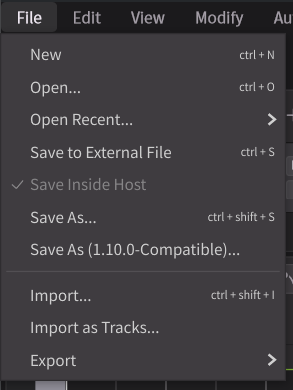
Projects worked using the instrument plugin can be saved in two ways:
By default, projects are saved "inside host".
¶ Save Inside Host
Saves within the project of the host application (DAW). A .svp file will not be created.
Saving the DAW project also saves the Synthesizer V Studio 2 Pro edits simultaneously.
¶ Save to External File
Creates and saves a .svp file separately from the DAW project.
The .svp file is a project file format common to both the standalone and plugin versions of Synthesizer V Studio 2 Pro.
When in "Save to External File" mode, reopening the DAW project will load data from the corresponding .svp file.
¶ Save As...
This creates a new .svp file, and subsequent project saves will be stored in that file (by using the plugin in "Save to External File" mode).
When in "Save to External File" mode, closing the DAW project will save the Synthesizer V Studio project to the
.svpfile.
There is no manual save command. Also, you cannot exit without saving.
¶ Back Up Your Current Project
- Save your current work as a
.svpfile using "Save to External File" or "Save As...". - Then, select "Save Inside Host" or use "Save As..." and change the save location to avoid overwriting the
.svpfile created in step 1.
¶ Set Up Audio Output Channels
The Synthesizer V Studio 2 Pro plugin supports Multi-Channel Output.
This allows you to output each track to a separate channel or isolate the vocal parts, enabling finer control over audio processing within your DAW.
The plugin can output up to 16 stereo channels.
¶ Setting Up Multi-Channel Output
-
Load the Synthesizer V Studio 2 plugin into an instrument track in your DAW.
-
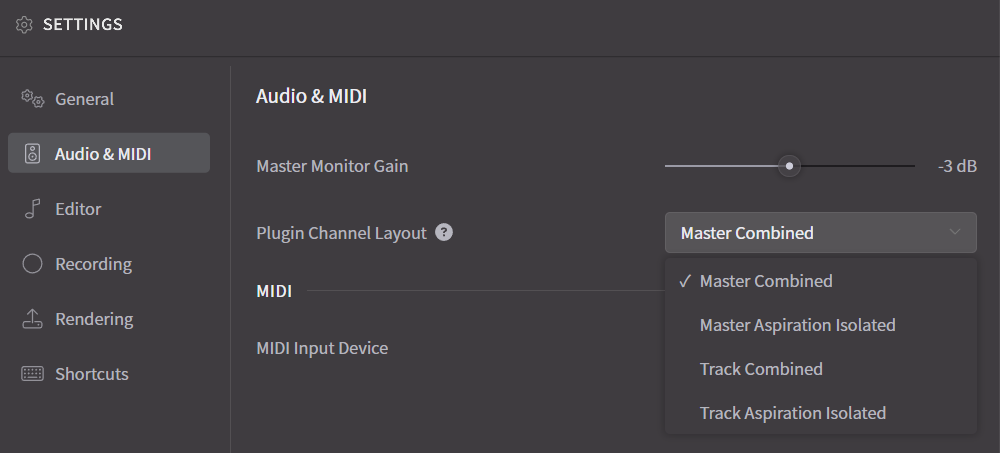
In Settings, go to [Audio and MIDI] > [Plugin Channel Layout] and set up the output channels.
-
On the DAW side, configure the settings to handle multi-channel audio outputs individually.
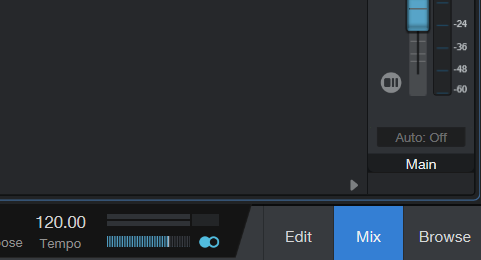
- Click [Mix] and display the console.
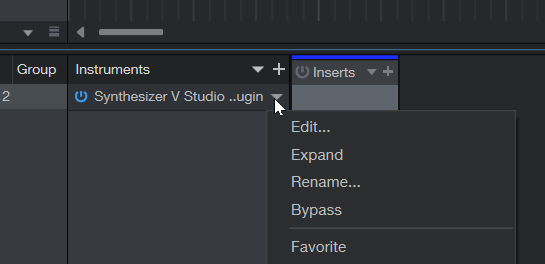
- Find the Synthesizer V Studio 2 plugin from [Instrument], open the menu, and click [Expand].
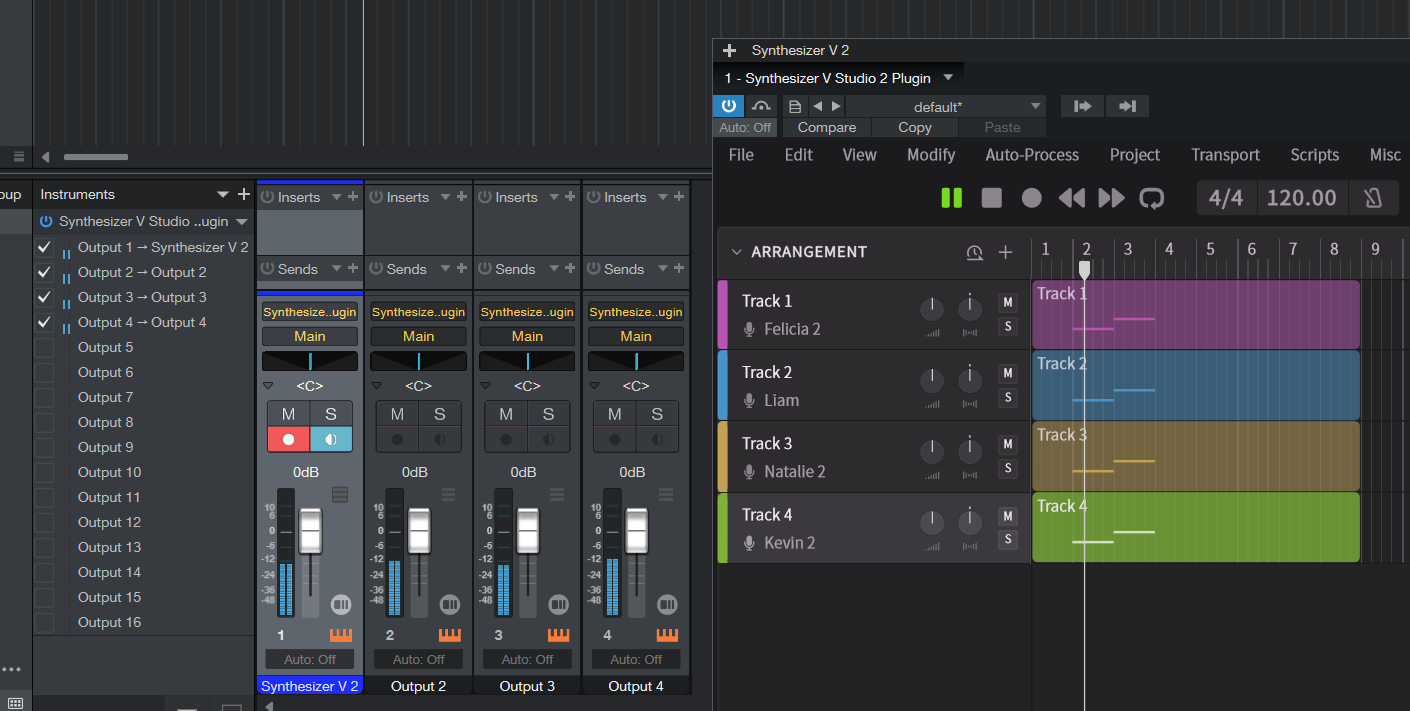
- Check the channel you want to display; channel strips for channels 2 and onwards, will be shown.
- Select a track, then in the [Inspector] tab, click [Select Multi-Output Instrument Return Channel].
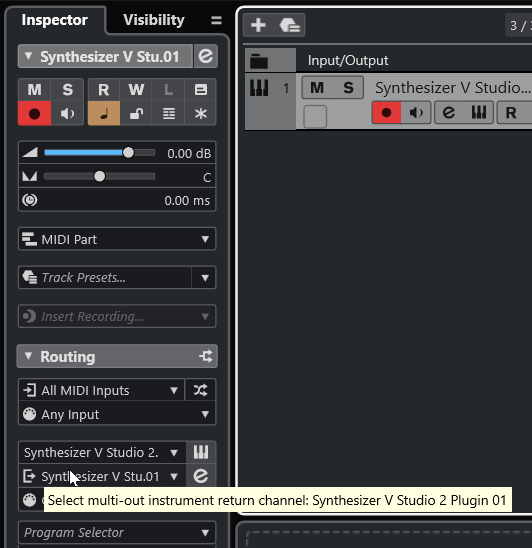
- Check the channel you want to display.
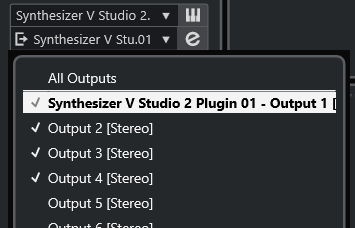
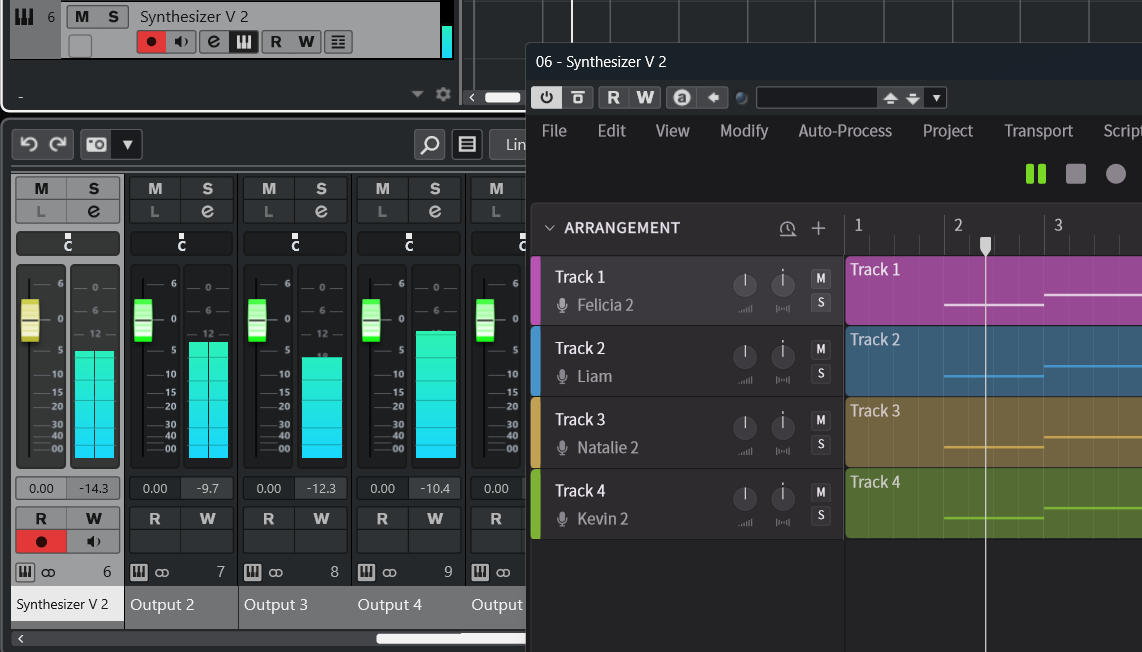
- Channel strips for channels 2 and onwards, will be displayed.
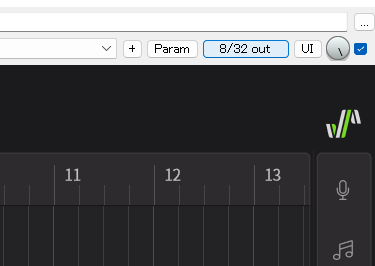
- Click the [2/32 out] button at the top right of the plugin window.
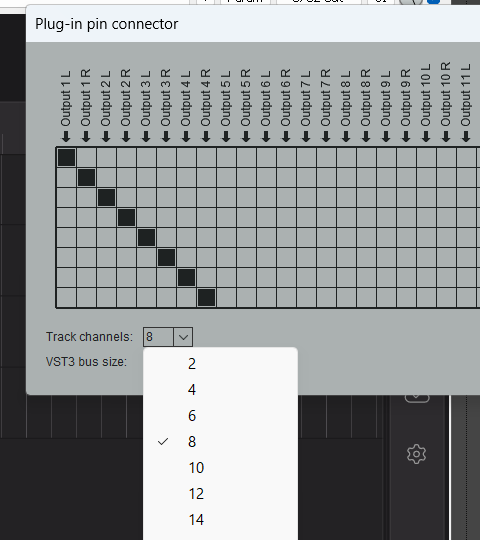
- Select the number of channels for the track. Since each Synthesizer V track outputs in stereo, the channel count will be twice the number of tracks you want to output.
For example, if you want to output 4 tracks in [Aspiration Output As Extra Channels], you will need 8 channels, and for [Aspiration Output As Extra Channels (isolated)], you will need 16 channels.
- Create empty tracks to receive the audio from the second track onwards.
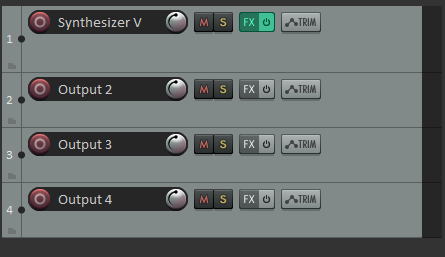
- Right-click the track's volume fader and in the [Routing] dialog that appears, set up the audio to be sent from the track with the plugin and received by the empty tracks.
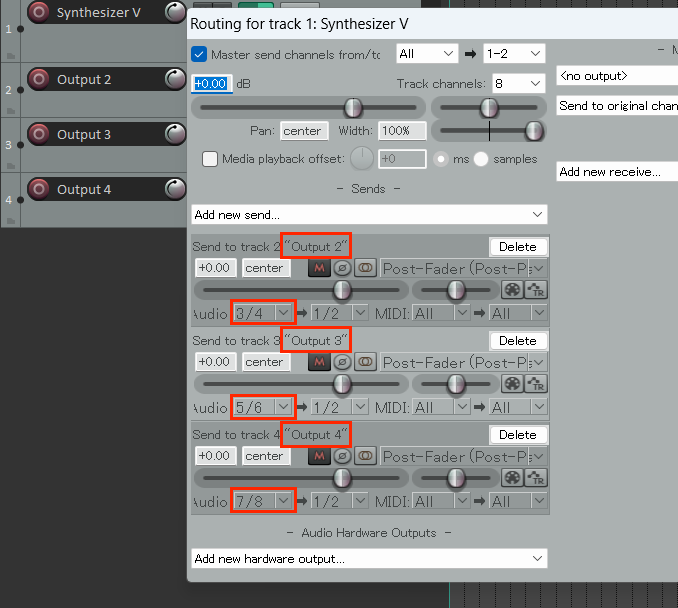
- Each output of the plugin will now be received by its respective track.
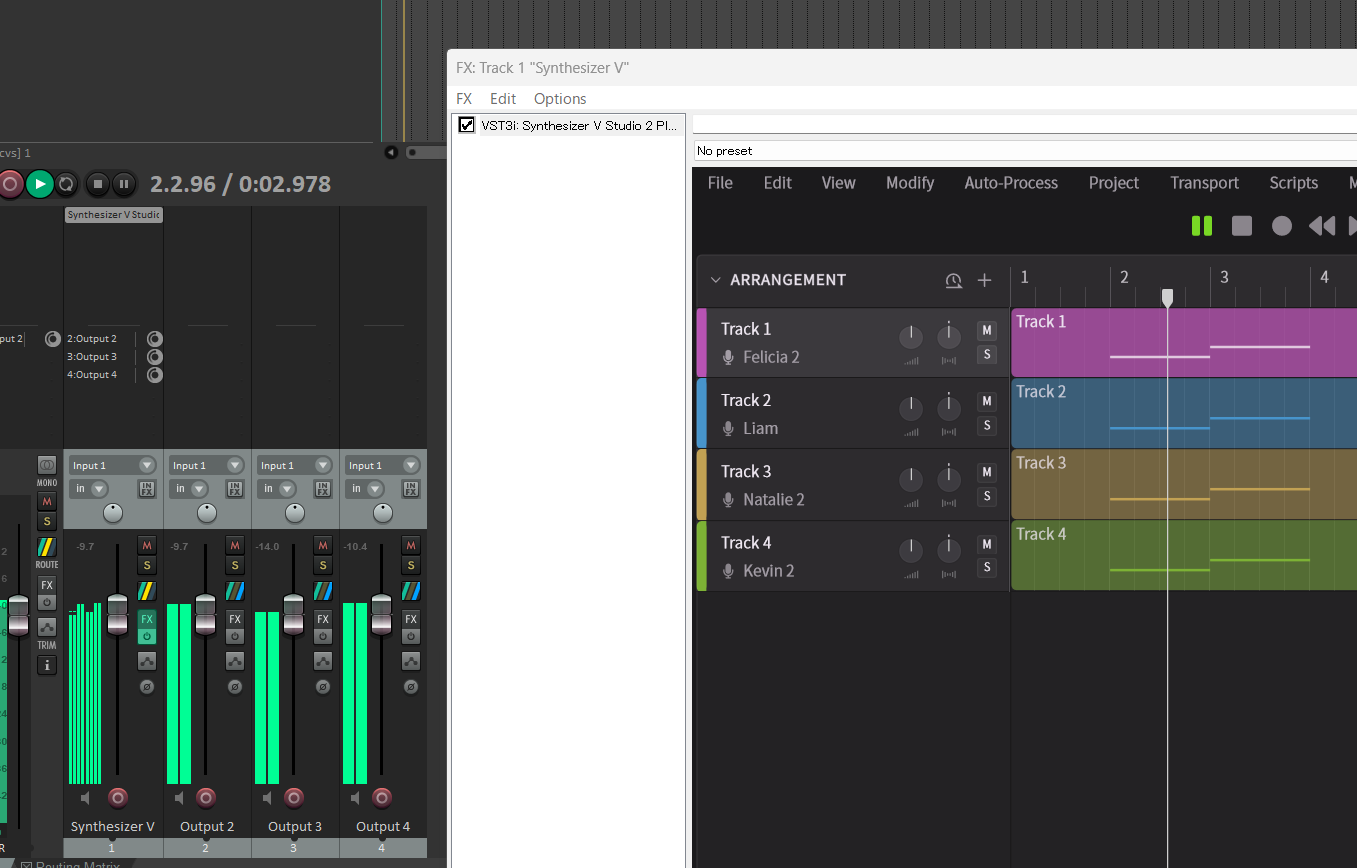
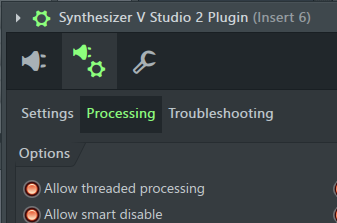
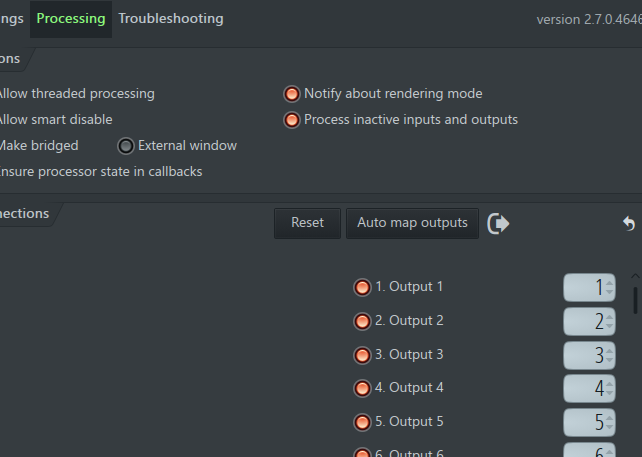
- Open [Plugin Details Settings] > [Plugin Options] > [Processing] located at the top left of the Synthesizer V Studio 2 Plugin window.
- Assign each channel to a track.
Once you set the track for Output 1, clicking [Auto map outputs] will automatically assign the subsequent channels.
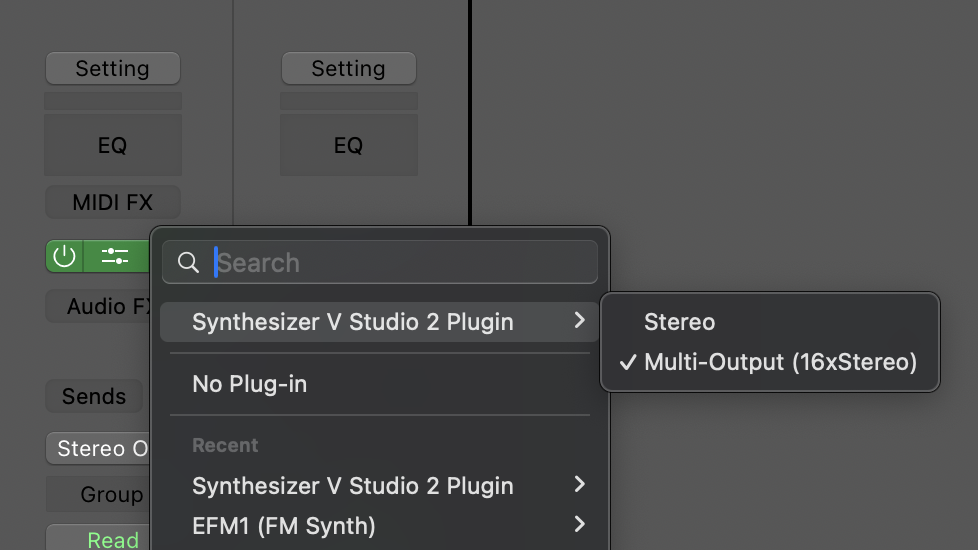
- Confirm that the Synthesizer V Studio 2 plugin is set to multi-output; if not, click [Multi Output (16x Stereo)] to convert it.
- Display the mixer.

- Click the [+] button on the channel strip to display channels 2 and onwards.
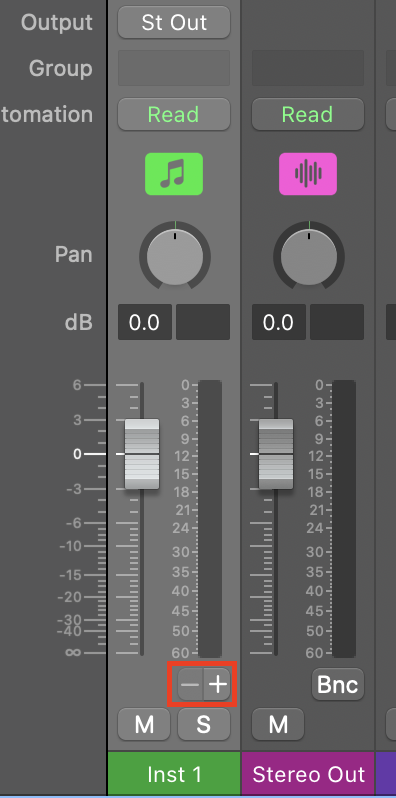
- Channels 2 and onwards can now be controlled individually.
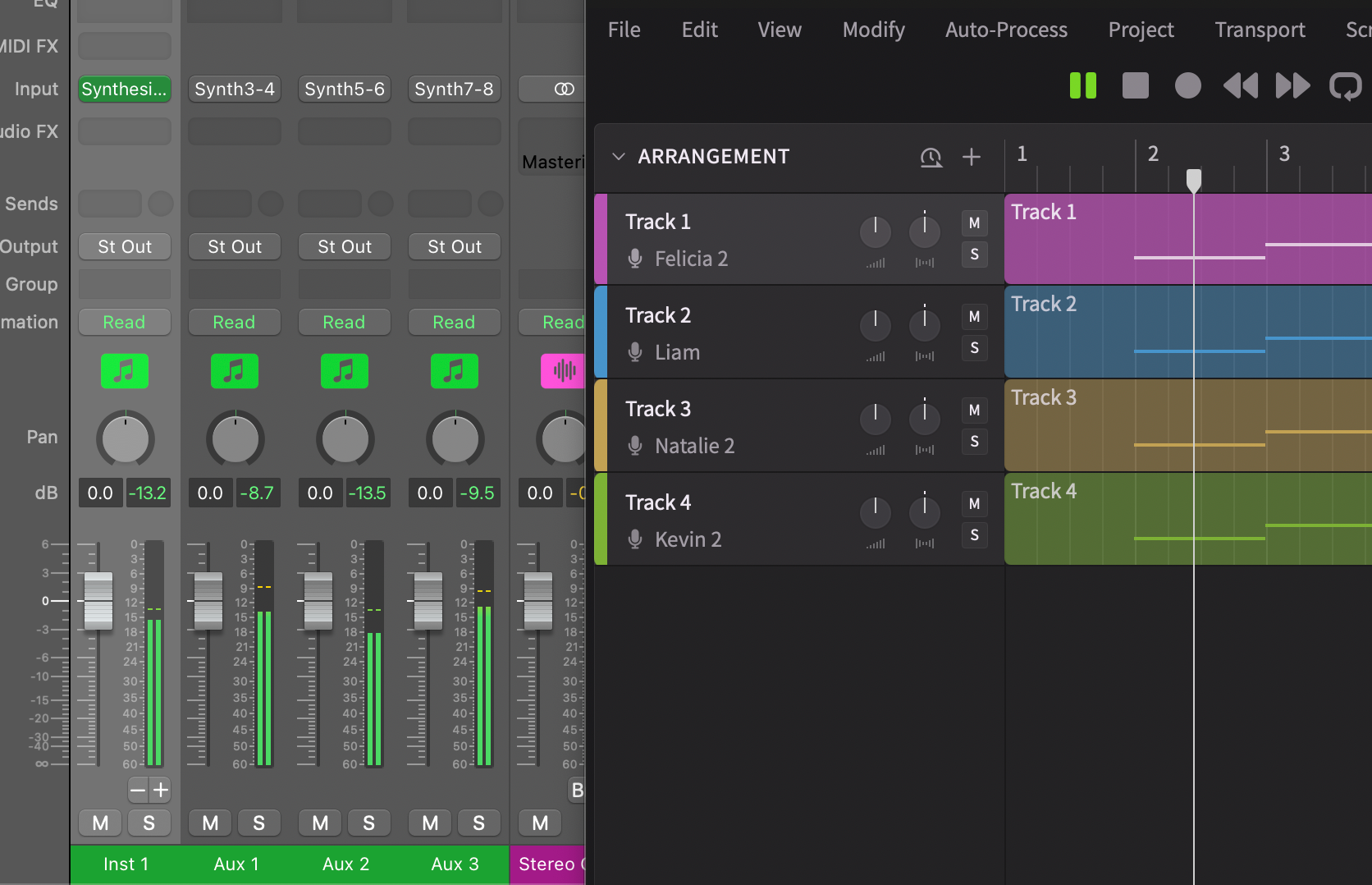
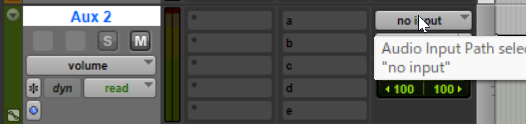
- Create an Aux track to receive the audio from the second track onwards.
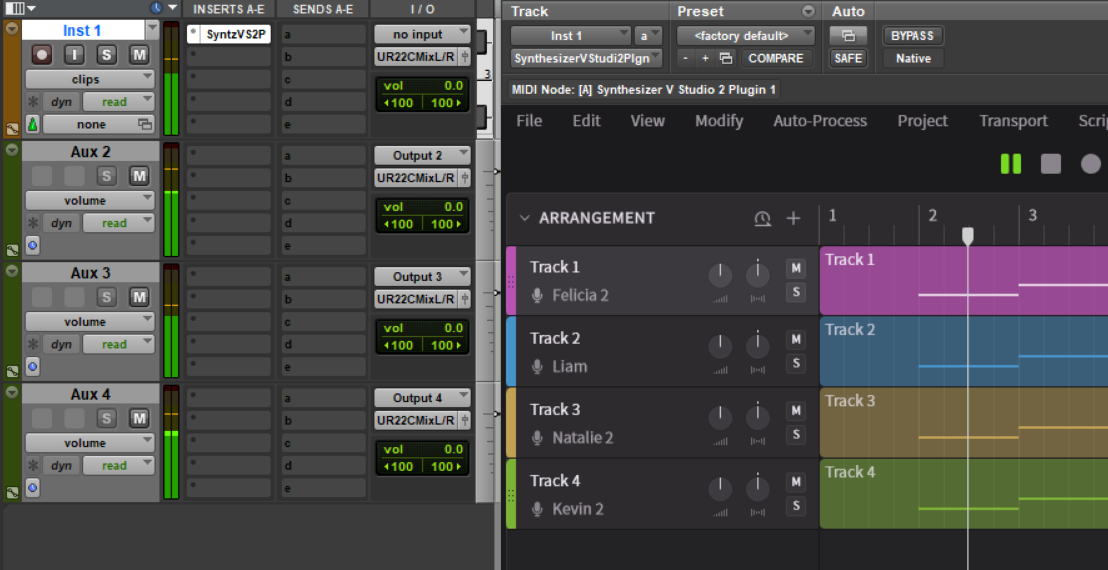
- In the Aux track's input menu, select [Plugin] > [Synthesizer V Studio 2 Plugin...] > [Output 2].
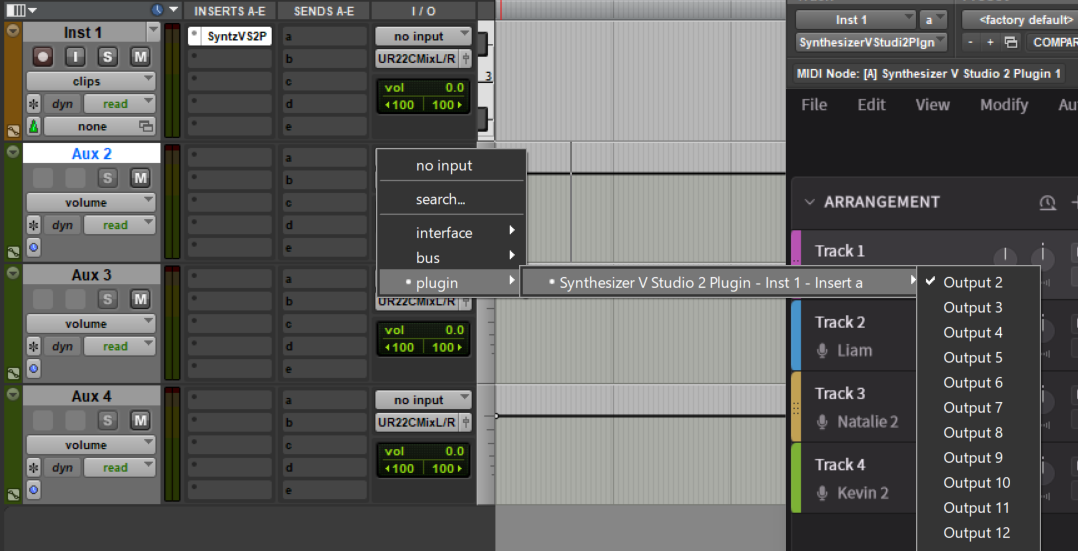
- Configure Output 3 and onwards in the same manner.
¶ Available Channel Output Methods
The default output channel is "Master Combined" which mixes the audio from multiple tracks within the plugin and outputs it as a single signal.
Output will reflect the state of each track's gain, pan, mute, and solo settings.
Other options allow you to output each track to a separate channel or isolate vocal components (Periodic and Aspiration), enabling more precise audio processing within your DAW.
The plugin can output up to 16 stereo channels.
In Synthesizer V Studio 2 Pro, "Aspiration" refers to non-periodic components in the voice, such as breath sounds, voiceless consonants, and noise during phonation.
During audio rendering, you can separate the voice into Periodic components (fundamental frequency and overtones) and Aspiration components.
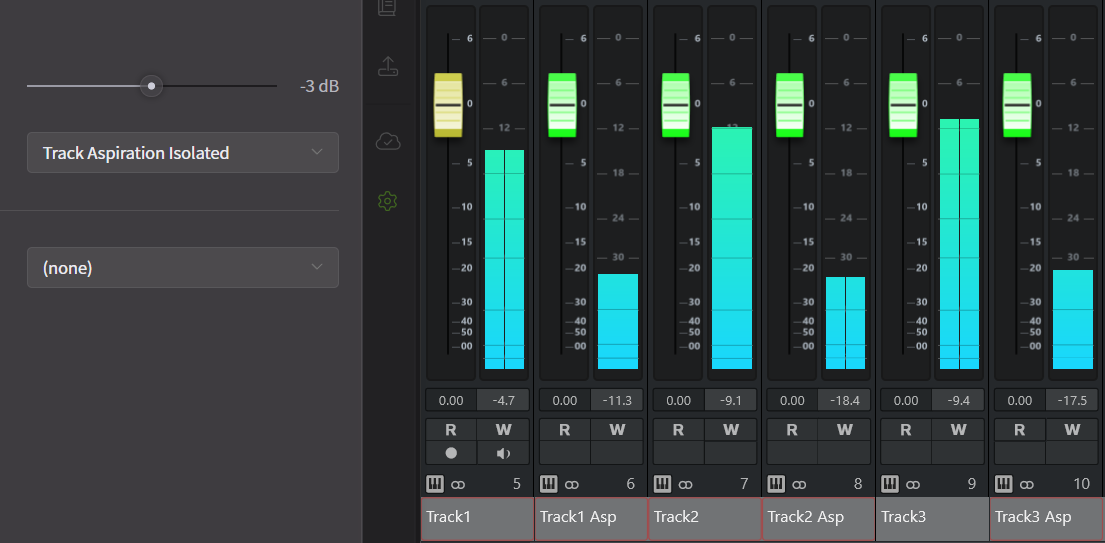
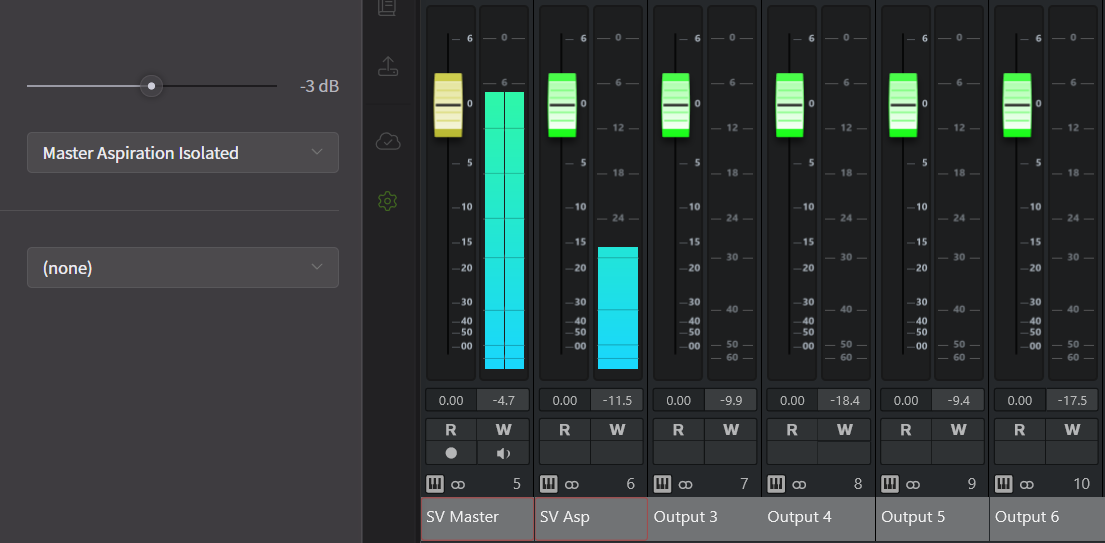
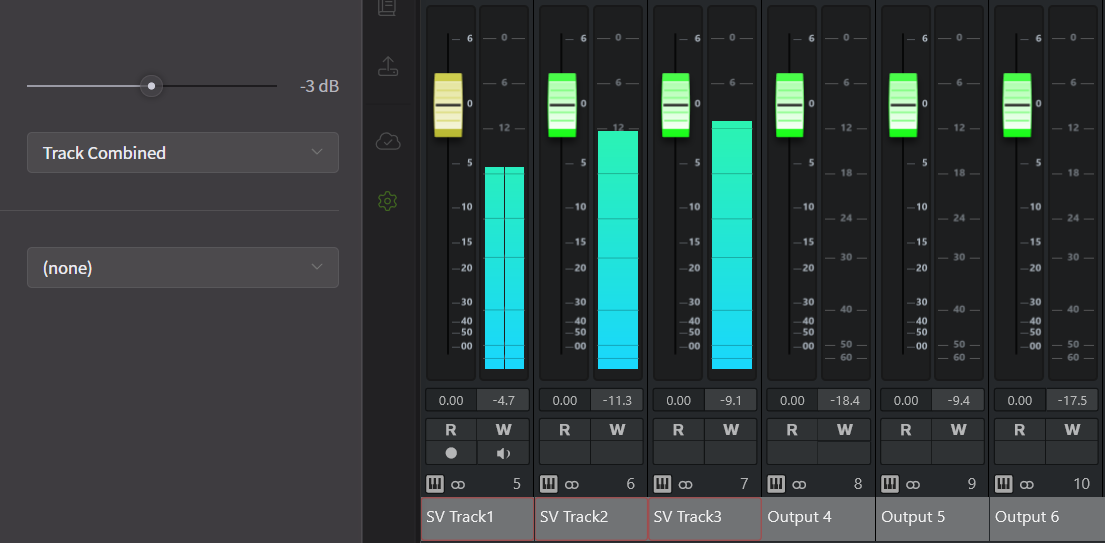
The following four options can be selected (the mixer in the image is from Cubase):
- Master Combined: Mixes the audio from each track and outputs it without separating Aspiration.
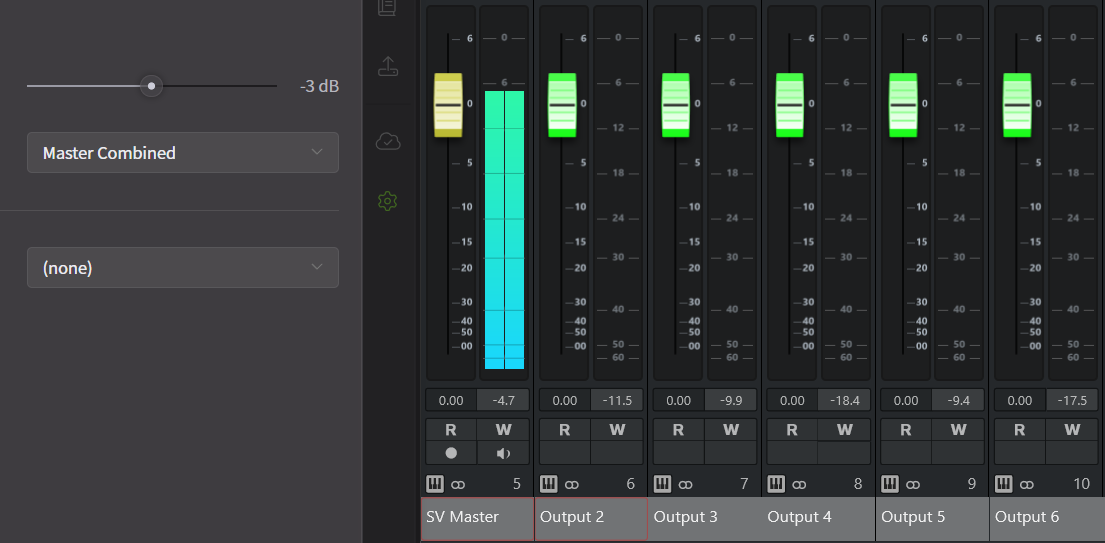
- Master Aspiration Isolated: Mixes the audio from each track and outputs Periodic and Aspiration components separately.
- Track Combined: Outputs each track's audio to a separate channel without separating Aspiration.
- Track Aspiration Isolated: Outputs each track's audio to a separate channel with Periodic and Aspiration components separated.