Sets the tempo and time signature for the project. These can also be changed during the course of the song.
Since tempo and time signature affect all tracks, it is recommended to set them first when creating a project for smooth workflow.
The unit of tempo is BPM (beats per minute), and it can be set between 10 and 1000 BPM.
Plugins can automatically acquire and synchronize with the DAW's tempo and time signature by using ARA Bridge Mode or Full ARA Mode.
Additionally, in FL Studio, the tempo is automatically synchronized through the FL Studio Link function.
¶ Check the Current Tempo and Time Signature
The tempo and time signature at the playhead's location are displayed in the Transport Area.

If the tempo or time signature changes during the project, it will be displayed on the Tempo/Time Signature lanes.
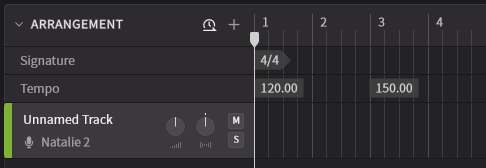
The Tempo/Time Signature lanes can be hidden.
¶ Edit Tempo and Time Signature
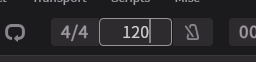
- If the tempo and time signature are constant throughout the song, you can change them by clicking on the tempo or time signature in the Transport Area.
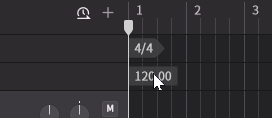
- You can edit the tempo and time signature by clicking on them in the Tempo/Time Signature lanes.
¶ Add Tempo and Time Signature Changes
Clicking on the desired location in the Tempo/Time Signature lanes will display a dialog box for adding tempo or time signature changes.
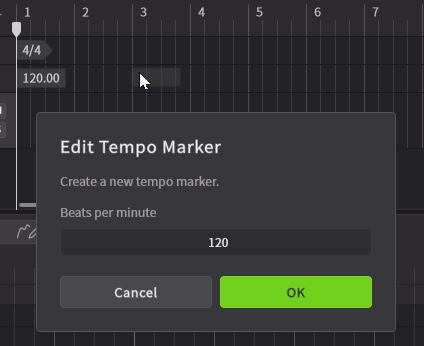
Time signatures can only be added at the beginning of measures and cannot be changed in the middle of a measure.
Tempos can be added according to the grid size and snap settings in the Arrangement area.
For information on Arrangement area snap settings, please see "Arrangement".
¶ Delete Tempo and Time Signature Changes
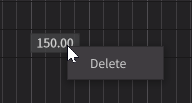
Right-click on the tempo or time signature change and select Delete.
¶ Detect Audio Tempo
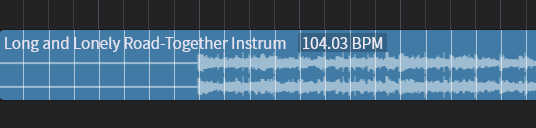
When importing audio such as a backing track, the tempo of the audio can be detected and displayed.
For more details, please refer to Arrangement.